Find the real person
behind a name.
Skirmisher is a free desktop OSINT & reconnaissance tool that maps a person’s public online presence, then tells you which accounts genuinely belong to them — and why.
Free · No API key · Runs entirely on your machine · macOS, Windows, Linux
How it works
From a name to a dossier you can stand behind — in three steps.
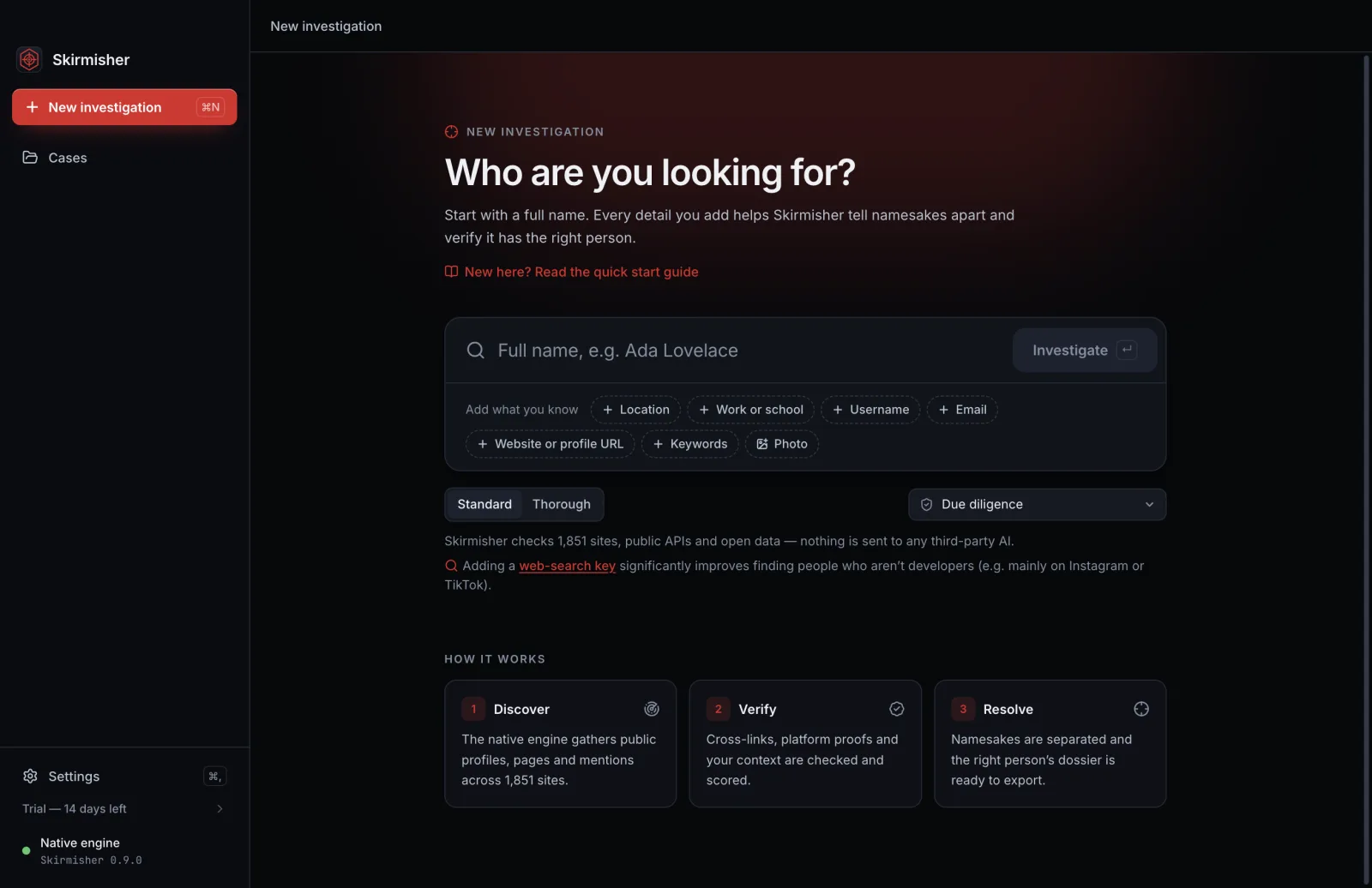
Enter a name
Add anything else you know — a city, employer, username, email or website.
Skirmisher searches
It runs reconnaissance across the public web, verifies what it finds, and separates namesakes into distinct candidates.
You get a dossier
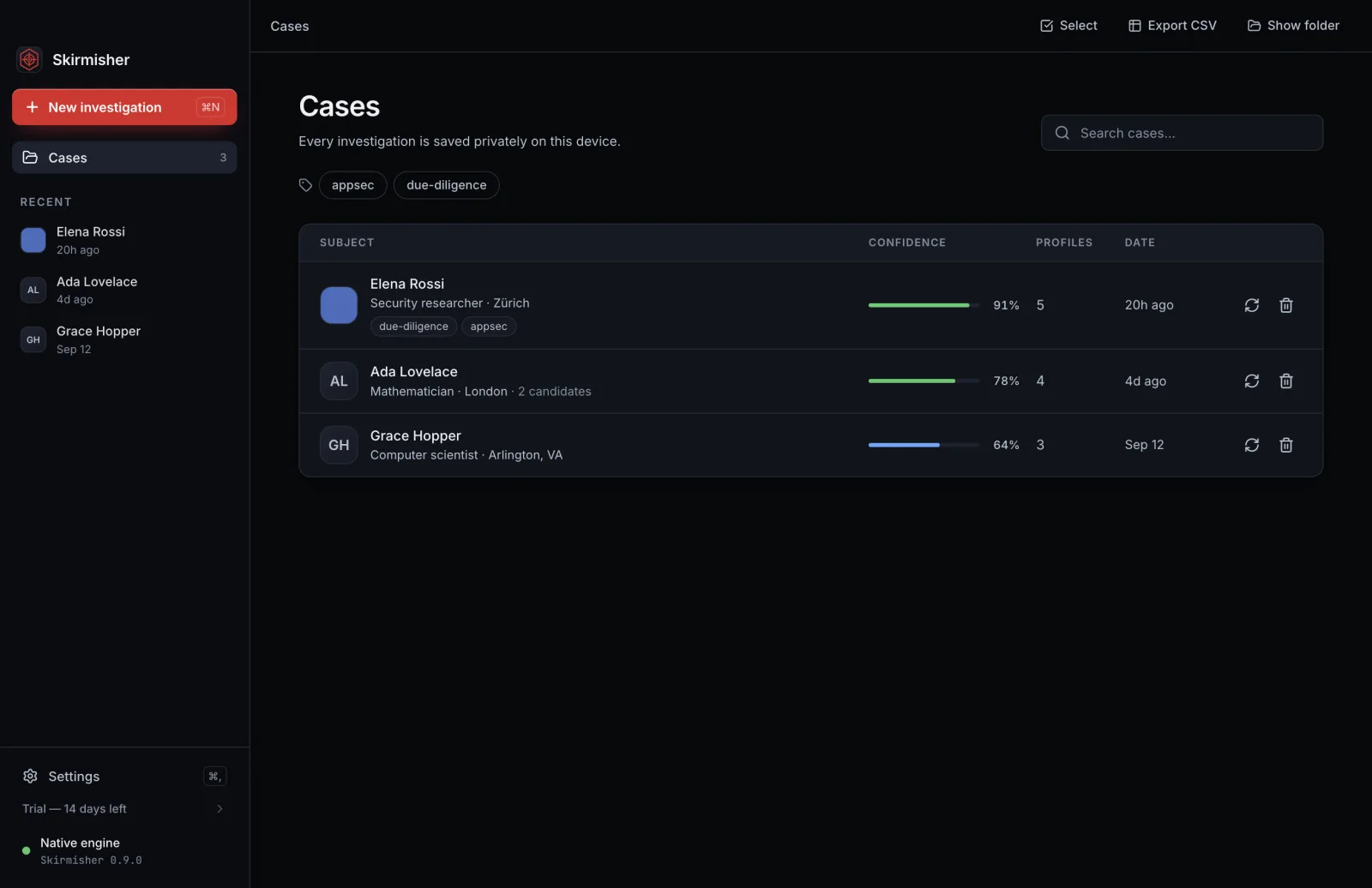
The right person’s accounts, each rated with the evidence behind it, ready to export.
What it does
A native reconnaissance engine, built for evidence you can defend.
Deep public-web reconnaissance
One name sweeps ~1,850 sites, public platform APIs and open data (Wikidata, ORCID, Hacker News, news archives) with link-following — no logins, no scraping behind walls.
Tells the real person from namesakes
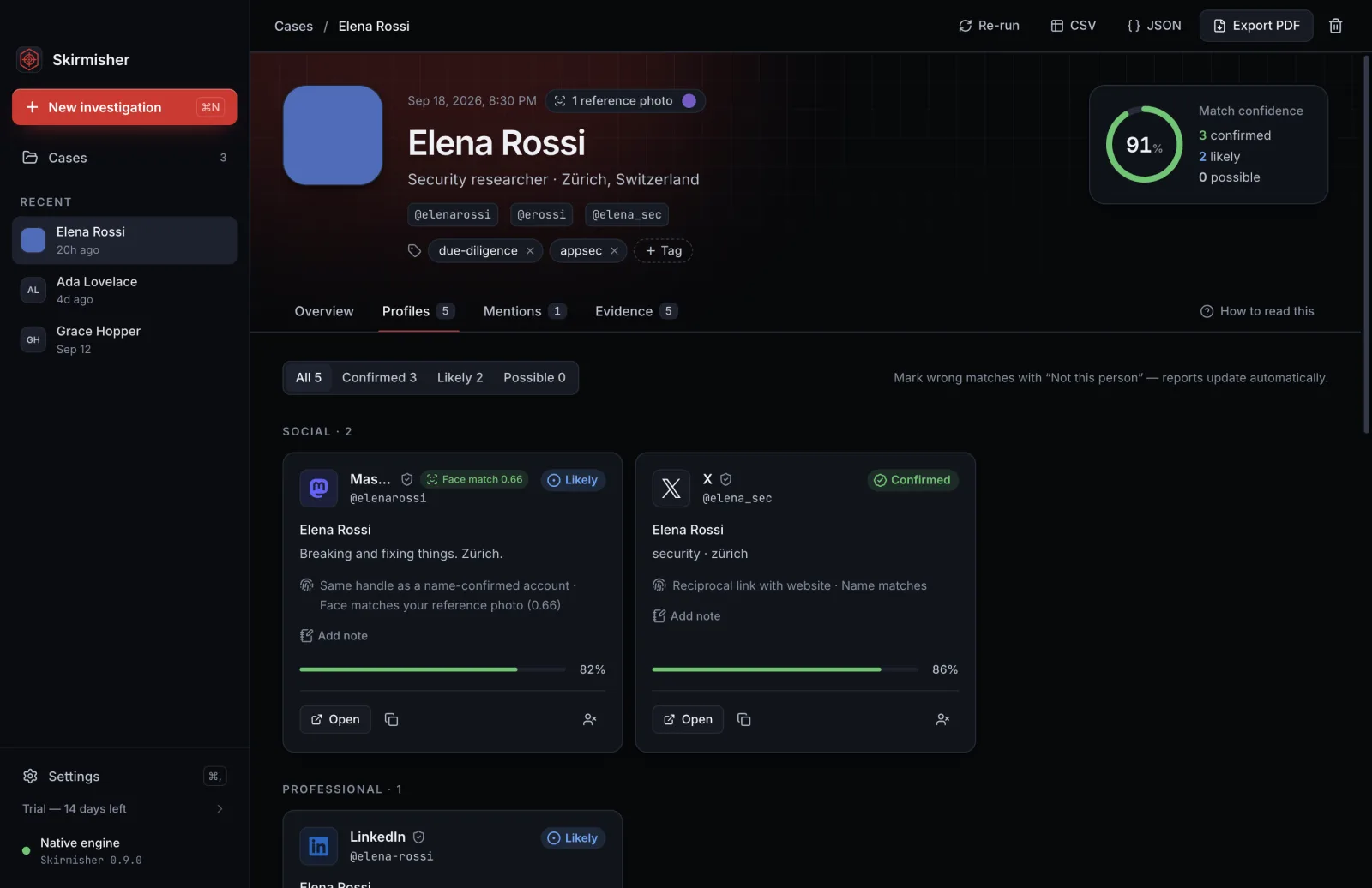
Separates the six “John Smiths” into distinct candidates you choose from, each with its own confidence score.
Evidence, not guesses
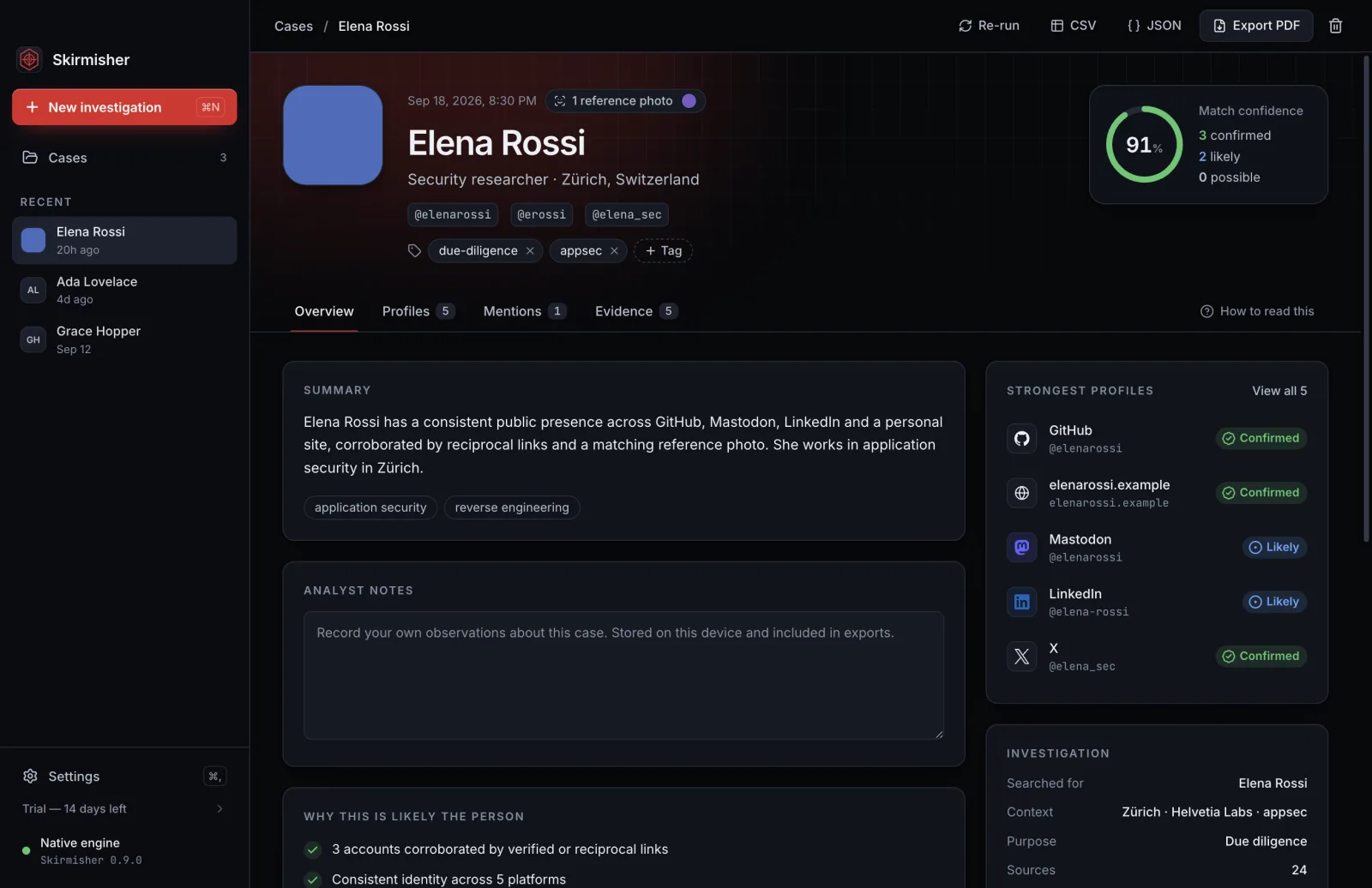
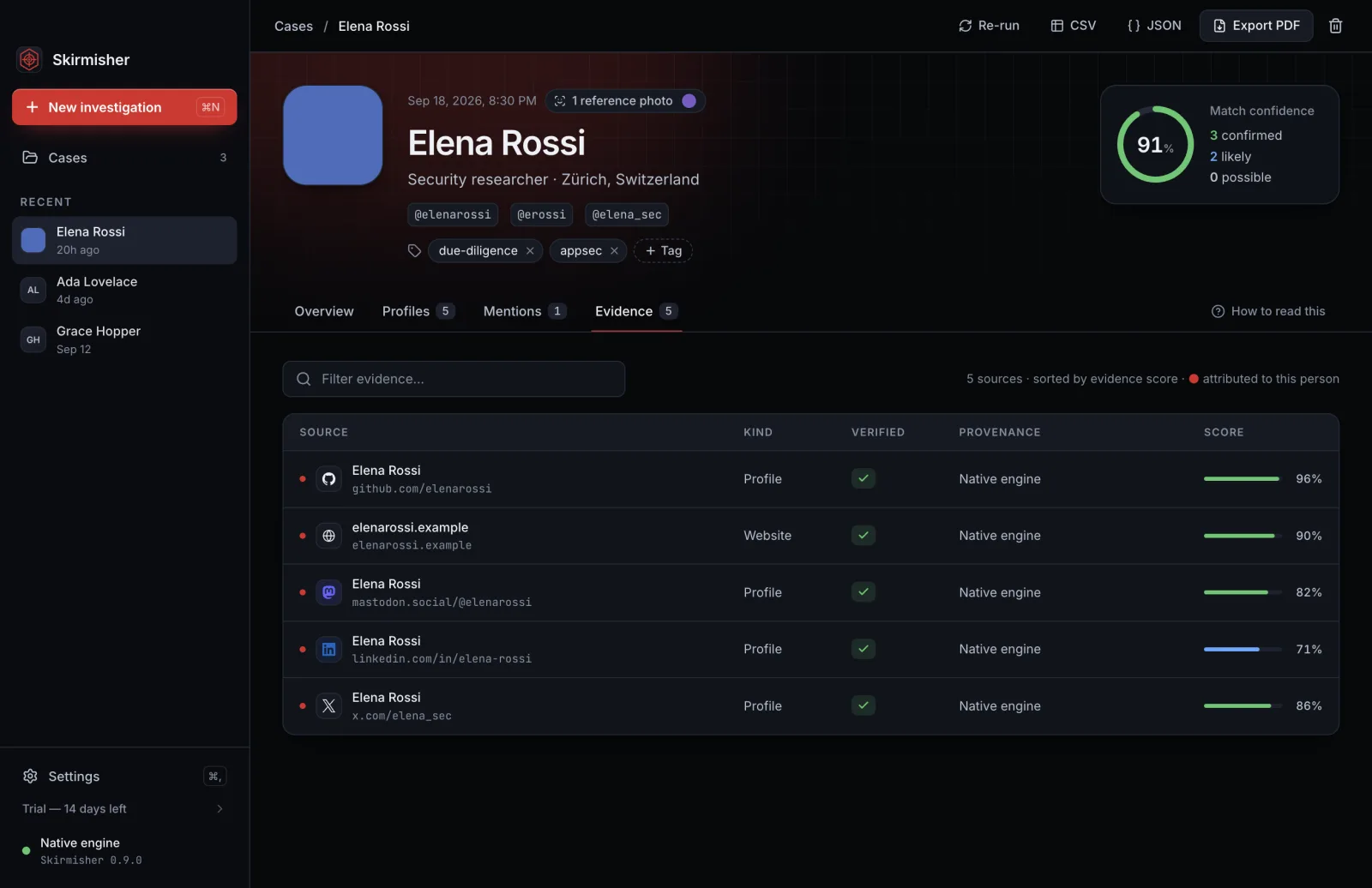
Every profile is rated Confirmed, Likely or Possible, and shows exactly why — verified links, reciprocal links, matching handles and bios.
On-device photo matching
Upload a photo and Skirmisher matches the face against the profile pictures it finds — entirely on your machine.
Professional reports
Export a polished PDF dossier plus JSON and CSV. Add your own notes and tags to every case.
Track changes over time
Re-run an investigation and see exactly what is new since the last time you looked.
Private by design
No account in the app, no cloud, no telemetry. Every case stays on your computer.
Works behind a proxy
System, manual, or authenticated corporate proxy support is built in.
Inside the app
Dark, focused, and fast — every match explained.
Download Skirmisher
Free, and yours to keep — sign in with a free KaliRange account to download. We highlight the build for your system; the rest are below.
First launch: a one-time security step
These builds are not code-signed yet, so your system shows a one-time warning. On macOS, right-click the app and choose Open. On Windows, click More info → Run anyway. This is normal for a new independent app — verify the checksum below if you want to be certain.
macOS (Apple Silicon)
9b5268295b5329487508e821686148a087a7cfd8bcc3804b8a1f1115a82bbd60macOS (Intel)
1209a763a0c10047d3cc56fde83c7037d48bfc0da794291578c5504db04551eeWindows
6013440dcea493db425dd14ab8c204a01ede0cf963900ca52debbe5c0b3c2435Linux (AppImage)
2504eb121e9c6c85a7845fbef44a2278999485120853e5e6eaad612fd00c37b7Linux (Debian/Ubuntu)
b2cedfa962af904e81fbf3d5487b50c35e5e04c28a06802c7407dcfa7ae9d8e2Most Macs from 2020 onward are Apple Silicon. On an older Intel Mac, choose Intel.
Verify your download
Because the installers are unsigned, the checksum is how you confirm your download arrived intact. Compute your file’s SHA-256 and compare it with the value shown on its card. Any difference means a corrupted or tampered download — delete it and download again.
macOS    shasum -a 256 Skirmisher-1.0.1-arm64.dmg
Windows  certutil -hashfile Skirmisher-Setup-1.0.1.exe SHA256
Linux    sha256sum Skirmisher-1.0.1-x86_64.AppImage
Full first-launch and verification steps are on the install & verify page.
System requirements
Runs on a normal laptop. No GPU, no server.
- macOS 11 (Big Sur) or later — Apple Silicon or Intel
- Windows 10 or 11, 64-bit
- Linux — modern 64-bit (AppImage runs anywhere; .deb for Debian/Ubuntu)
- ~400 MB disk · an internet connection for investigations
Questions
Straight answers, including the honest limits.
Is it really free?
Yes. The Community Edition is free with no usage limit. You sign in here with a free KaliRange account to get the download; the app itself needs no account or key.
Do I need an API key or a login to use the app?
No. Once installed, Skirmisher works out of the box — nothing to sign up for inside the app.
Does it send my searches anywhere?
No. Skirmisher runs on your machine and contacts only the public sites it is investigating. There is no cloud service and no analytics or tracking in the app.
Why does my computer warn me when I open it?
The app is not code-signed yet, so macOS and Windows show a one-time caution. Follow the first-launch steps above. Code signing is planned.
Can it find someone’s private Instagram or a phone number’s owner?
No — and no lawful tool can. Skirmisher only reads public information and never logs into or scrapes private accounts. Given a username it shows you the profile link to check yourself, clearly marked as unverified.
Is this legal to use?
Skirmisher gathers only public information and is for lawful use — due diligence, verification, journalism, authorized security work. It is not a background-check product and must not be used for decisions governed by laws like the FCRA.
Free Community Edition · Skirmisher and its source code are proprietary.
Install & verify guide